| 5. The
Charting Tool
|
|||||||
|
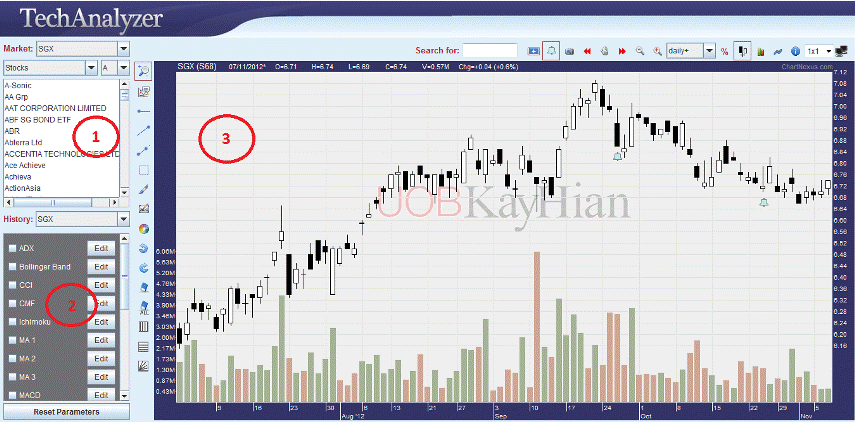
Another powerful feature of TechAnalyzer will be its ability to chart individual stocks. To launch the charting tool from the
TechAnalyzer, click on the The tool which is written in the Java™ programming language, provides you with an essential set of indicators and annotation features. With its user-friendly graphical user interface and easy navigation, you can chart stocks that you're interested in different chart types, set your own parameters for the indicators instead of using the default etc. To find
out the information about the features and options for plotting
charts, click on the The screenshot below illustrates the chart area.
|
|||||||
| Copyright © 2010 ChartNexus Pte. Ltd. All rights reserved. | |||||||
 option which is located at the top.
  option in the chart area .